


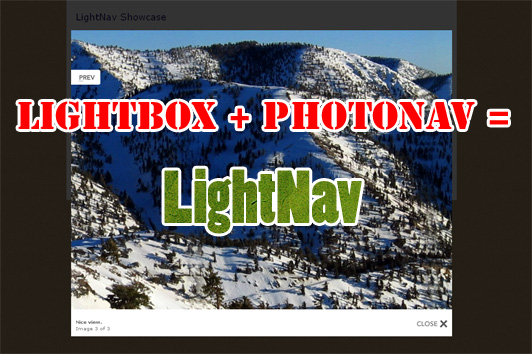
Lightbox + PhotoNav = LightNav
If you’ve been around the web for a while, you might have heard of Lightbox. And if you used it, you might also know the limitations.
One of those limitations is of course the fact that an image wider than your screen goes out of bounds. Very annoying! And it creates ugly scrolbars.
As you might know, I have created a Panoramic Photoviewer in Javascript to fix the problem of images going out of bounds. And I thought to myself: “Why not try and implement PhotoNav on top of Lightbox?”. With this, even super large images would be viewable.
I created LightNav for this. It runs along Lightbox without changing the script, so you can always update Lightbox if needed.
Download
LightNav zip-archive
Example
Open the LightNav examples
The example page is located here:
http://www.gayadesign.com/scripts/lightnav/
And the archive is downloadable here:
http://www.gayadesign.com/scripts/lightnav/lightnav.zip
Using LightNav is easy! I’ll tell you what you need to do in this step-by-step guide:
1. Download Lightbox and upload to your webpage.
Go to the Lightbox project page and download the zip: http://www.huddletogether.com/projects/lightbox2/#download
The files from the zip we are going to need are: lightbox.js, lightbox.css and the images in the images folder.
For this installation, we don’t need the prototype.js and scriptaculous.js file from this zip.
Now upload the files to your server. Check the lightbox.js file in the top section for the image paths. These settings are on line 49 and line 50. They have to be set correctly to get a good output on your page.
2. Download and use Scriptaculous.
Go to http://script.aculo.us/downloads and download the latest version of scriptaculous.
Upload the files to your server.
Now it’s time to make use of Lightbox and Scriptaculous on your webpage by placing this code in the head section of your webpage:
<script src="js/prototype.js" type="text/javascript"></script>
<script src="js/scriptaculous.js" type="text/javascript"></script>
<script src="js/lightbox.js" type="text/javascript"></script>
<link href="css/lightbox.css" rel="stylesheet" type="text/css" media="screen" />
Fix the paths to the files as they are on your server. Now you have included the technology which will make Lightbox work. Now it’s time to include LightNav to upgrade Lightbox!
3. Download LightNav and use with Lightbox.
Download LightNav here: http://www.gayadesign.com/scripts/lightnav/lightnav.zip
Upload the contents to your server.
Now place the following code in the head section of your page (under the previous tags!)
<script src="js/lightnav.js" type="text/javascript"></script>
<script src="js/photonav.js" type="text/javascript"></script>
<link href='css/photonav.css' rel='stylesheet' type='text/css' />
LightNav will overwrite some functionality of Lightbox and make use of PhotoNav to create a navigation feature.
You are basically done now! But if you can configure LightNav to your needs in the following part of the lightnav.js file:
//you can adjust this to your needs.
var LightNavOptions = {
    maxWidth: 800,
    maxHeight: 600
}
The maxWidth and maxHeight give the maximum width and height (in pixels) of the LightBox window, making it impossible to get bigger than that.
If you set these variables to 0 LightNav will create a width and height according to the browse window of the user, which will also fix the out of bounds problem!
I hope I helped some people with this. Follow my feed if you wish to see more Javascript tweaks.
Happy tweaking your Lightbox!
Articles like this one
Articles like this one


11 Comments
-
sweeeeeeeeeeeet
-

Sure thing Geert 😉
-

Awesome dude! Keep on making stuff like this.
-
Oh yes, I will. Now I need to know what to make next.
-
cooool thanx for sharing this.
“Oh yes, I will. Now I need to know what to make next. ”
i know something, when in a lightnav window make the scrollwheel zoom the image in and out
-
@schenk:
Hmmm, I don’t know if it’s possible, but it would be nice =). I’ll think about it.
-
nice tut..thanks for sharing..
-
Wow, i really love it, going to apply this on my photos galleries in one of my website right now. thank you, great job
-
Hello,
I have now tried. But it is like I maybe might have done something wrong.
Please see: http://www.coolshirt.dk/K/tribune/TEST.html
The picture goes out of the bounds, and is also to much to the top.
Can you help me out?
-
Thanks a lot!
-
Hi. Great work.
Do you know if this is possible with the jQuery version of the plugin using the Pretty Photo plugin?
Much appreciated!


Recent comments