


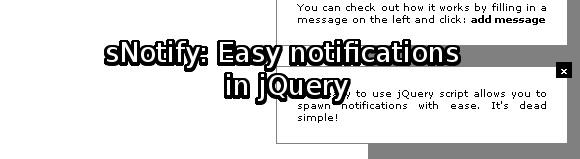
sNotify: Easy notifications in jQuery
There hasn’t been a jQuery tutorial / script on Gaya Design for a while. This is because I’ve been working on this particular script for a while and have a lot of other scripts in development.
sNotify is a script which is particularly handy for people who are developing web applications. sNotify allows the developer to display notifications in a fast and easy way.
Download
Get sNotify in a zip-archive
Example
See the notifications in action!
Download the source code here: http://www.gayadesign.com/scripts/sNotify/sNotify.zip
View the examples here: http://www.gayadesign.com/scripts/sNotify/
The idea for sNotify struck me when I was playing the Sims 3. Its way of notifying the user of important events looked simple but effective. A message box slides in screen from the top right, containing just a small bit of information.
The thing I liked most was the way it sorted notifications and displayed them in an orderly way. By this I mean: When there is more than one notification, it displays them one after another.
Features:
- Display notifications in the top right corner of the screen
- Close the message with a click on a button
- Automatically closes messages after 10 seconds (or whatever you’d like)
- Disables auto close when you are hovering over a message
- Puts messages in a queue to display them one after another
- Easy to implement
Getting it to work:
First thing we need to do is to include the script on your web page. Upload the contents of the script somewhere, preferably in the folders you use for CSS and JS.
Put the following code in the <head> section of the page:
<link href='css/sNotify.css' rel='stylesheet' type='text/css' />
<script type='text/javascript' src='http://ajax.googleapis.com/ajax/libs/jquery/1.3/jquery.min.js'></script>
<script src="js/sNotify.js" type="text/javascript"></script>
You can remove the jQuery part if you already included it.
Now that you’ve included sNotify, you can start to test out the script.
Use the following Javascript code to display a message:
<script type='text/javascript'>
	sNotify.addToQueue("You can add your message here.");
</script>
This will display the notification in the first possible cycle of the queue. You are basically putting the message in a queue so that messages won’t get mixed up.
By doing a simple sNotify.addToQueue call you can add your messages to the queue, so it is possible to add multiple messages at the same time but it won’t clutter the page:
<script type='text/javascript'>
	sNotify.addToQueue("The first message.");
	sNotify.addToQueue("The second message.");
	sNotify.addToQueue("The third message.");
</script>
To change the amount of time a message a message stays on screen, use the following:
<script type='text/javascript'>
	sNotify.timeOpen = 10; //change this number to the amount of second you want
</script>
Conclusion:
It’s that easy!
You can edit the CSS to adjust the looks (I guess this is required) according to the looks of your web page. You can also add HTML in the messages to add links or other elements.
Have fun!
Articles like this one
Articles like this one


35 Comments
-

Does remind me more of Growl; The Mac notifying system.
Anyway, I don’t directly know if this can be implemented somewhere, but it sure does look nice. Does give some hick-ups though, when you click the button really fast.
Keep up the great work mate 🙂 .
-
Oh, and something else: The example page allows you to enter HTML tags (iframe, links etc.). When the messages are created based on the user input, you might want to give it an extra check (if you’re planning to use only text ofcourse).
-

Thanks for the comments Marco.
HTML is enabled for a reason, you can add links or whatever you want if you spawn a message.
Using this like on the example page is not really the way it should be used.
For example: if an event triggered in Javascript, you can display a message to the user. So it’s not meant for the “users” but for the application itself.
-

hey Gaya, cool tutorial! thanks man.
-

Was literally just thinking about how to deliver some messages to users without it being a page feature …
Might add a cookie so can use it to tell first time visitors about important sections.
-
@louis: Thanks buddy!
@devolved: That would be cool. That’s one of the things I wanted to see happening 🙂 let me know if you got it 😀
-
Hey man, very rad design, nice plugin too, keep up the stellar work.
-
Thanks for the comment Taelor. Stay tuned for more jQuery madness 😉
-
Excellent work! Very dynamic and useful…
-
Gaya, great idea!!!
Is there a way to avoid the warnings messages? Like:
Warning: reference to undefined property o.cache[H][E]
Source File: http://ajax.googleapis.com/ajax/libs/jquery/1.3/jquery.min.js
Line: 12Thanks!
-

this is great, you awsum man, I will use this software for my site, but I was wondering instead of notify myself in same page, is that possible to notify to other member! for sample from page to other page that i want to use that for our social netwrok … if so what do i need to make change!
AM
-
awesome, thank you!
-
mmh today i discovered a problem with using snotify:
the overflow: visible; css (in sNotify.css) for the body-tag prevents any scrollbars to show up, even when the page needs (vertical) scrollbars. how could u fix that?
i thought about sliding in the notify-box from the bottom and don’t use the overflow: visible; as (my page) most pages have vertical scrollbars anyway…
-
You could try and mess around with the CSS a bit to get the messages to appear in the right way. This script gives you a boost into making your own notifications.
-

Hey Gaya! This is awesome and I’ve gotten it implemented fine. I’m using it on a browser-based game I’m making and was wondering if there’s a way to have it support HTML? I’m using it for player notifications, ie “so and so just beat you up” and would like to link to player details, but any time I include HTML it just displays the markup.
-
Nevermind – was on my end. Everything works perfectly, sorry!
-
Good worK, but i think a good idea would be to add a parameter more in order to change the style.
Explanations : for exemple, type = ‘warning’ would pop up a red message, whereas a ‘type=done’ would pop up a green one… and so on.
I am trying to implement that but, i’m no javascript expert.
Thanks anyway, keep up the good work.
-
Well, achieved what i was talking aboutt : i just edited a .error class in my css sheet, and then modified this in the js file :
addToQueue: function(msg, type) {
sNotify.queue.push(msg);
class = ‘sNotify_message ‘ + type;
},createMessage: function(msg) {
//create HTML + set CSS
var messageBox = $(“x” + msg + “”).prependTo(“body”);$(messageBox).addClass(class);
sNotify.enableActions(messageBox);
sNotify.closeQueue.push(0);return $(messageBox);
},
-

Hi there, thanks for all the goodness (love queryLoader).
I was wondering if you could detail this bit :“For example: if an event triggered in Javascript, you can display a message to the user. So it’s not meant for the “users” but for the application itself.”
As it is right now ain’t that userful @ all.
Thanks you anyway!
-
Good Post.
I’m using snotify to show a notification. like this:
1. I have index.php to auto refresh without reload page using jquery ;function jin_ajax_loop() {
// url and target
jin_ajax_req(‘inbox.php’,’div_test’);
}2. Inbox.php ;
sNotify.addToQueue(“Test”);
How to showing notify? if using snotify only in index.php, Its ok, but call another page (inbox.php) not running.
please give solution.
Thanks
-
nice..
-
Thanks! worked like charm!
-
Great thread. Enjoyed the posts.. High Waist Shorts
-

Hello! I really like sNotify and I would love to use it as
a way of telling my users that they have a new message/comment/friend request etc but I am having a little trouble adding it to my code..I currently have a system that just brings up a little (1) or however many new messages etc that person has and I want to keep this function but also include your sNotify to go with it.
Would you be able to help me apply this to my code? jQuery is only something I started looking at last month so I’m not 100% on it.
Thanks
-
If you want to watch hot females having sex outdoor you should visit Public Tube
-
I just couldnt shove off your website in the vanguard too revealing you that we remarkably enjoyed the standing information you offer to your visitors… On be secretly over again to receipt up on restored posts
-

I would like to thank you for the efforts you have put in writing this website. I’m hoping the same high-grade website post from you in the upcoming as well. In fact your creative writing abilities has encouraged me to get my own site now. Actually the blogging is spreading its wings rapidly. Your write up is a great example of it.
-
Ola queria saber como usar no blogger, pois a pagina fica travada, a barra de rolagem some.
Antecipadamente agradesço.
-
Howdy! Do you realize if they make any plugins to help with Seo? Im trying to get my weblog to rank for some targeted key phrases but Im not seeing very good results. If you know of any please share. Thank you!
-
Hey I loves your lovely article and pls keep it on
-

wow……surprise..
-

sNotify still works phenomenally well, even years after you’ve created it. Are there any licencing restrictions on its use? Thanks for the code!
-
Great script, thanks.
One thing I added ‘.sNotify_message’ to the .next() on Line: 87 and to the .nextAll() on Line: 113 so it only modifies it’s elements.
-
With a little php and ajax magic, you can make this into a full on Notification system. Thanks! I can definitely use this for other things as well.
-
This is my first time I come in here. And I want to say, I like your design style.


Recent comments